Test Stock Sync Sheets before connecting your own WooCommerce store
Explore the demo dashboard and see how Stock Sync Sheets connects WooCommerce with Google Sheets for stock sync, Dry Run previews, Manual Review, Confirmed Matches, Product Builder, AI Review, Sheet Push, Push on Sale, and Price Sync Add-On workflows.
- Learn the safest way to run your first Dry Run before live stock updates.
- Understand Dashboard status, manual review, confirmed matches, ignored items, blacklists, and schedules.
- Use Product Builder, AI Review, Sheet Editor, Sheet Push, Push on Sale, and Price Sync guides in one place.
What you can test in the demo
The demo site is built so you can inspect the real plugin workflow before buying or installing it on your own WooCommerce store.
Stock Sync
See how Google Sheet rows are loaded, previewed, matched, reviewed, and prepared for WooCommerce stock updates.
Dry Run Safety
Review changes before applying them live. Dry Run helps avoid bad stock updates before they reach your products.
Manual Review
Check how uncertain product matches are held for review instead of being blindly synced to the wrong product.
Product Builder
Inspect the product creation workflow for building WooCommerce product data from mapped spreadsheet columns.
AI Review
See how AI drafts can help prepare product descriptions, short descriptions, bullet points, and SEO fields for review.
Sheet Push
Explore WooCommerce-to-Google-Sheets workflows, including creating sheets and pushing stock changes back after sales.
Recommended demo workflow
Follow this order so the demo makes sense and you do not miss the important safety steps.
Open Dashboard
Start with the main plugin dashboard and check the available modules and page links.
View Stock Sync
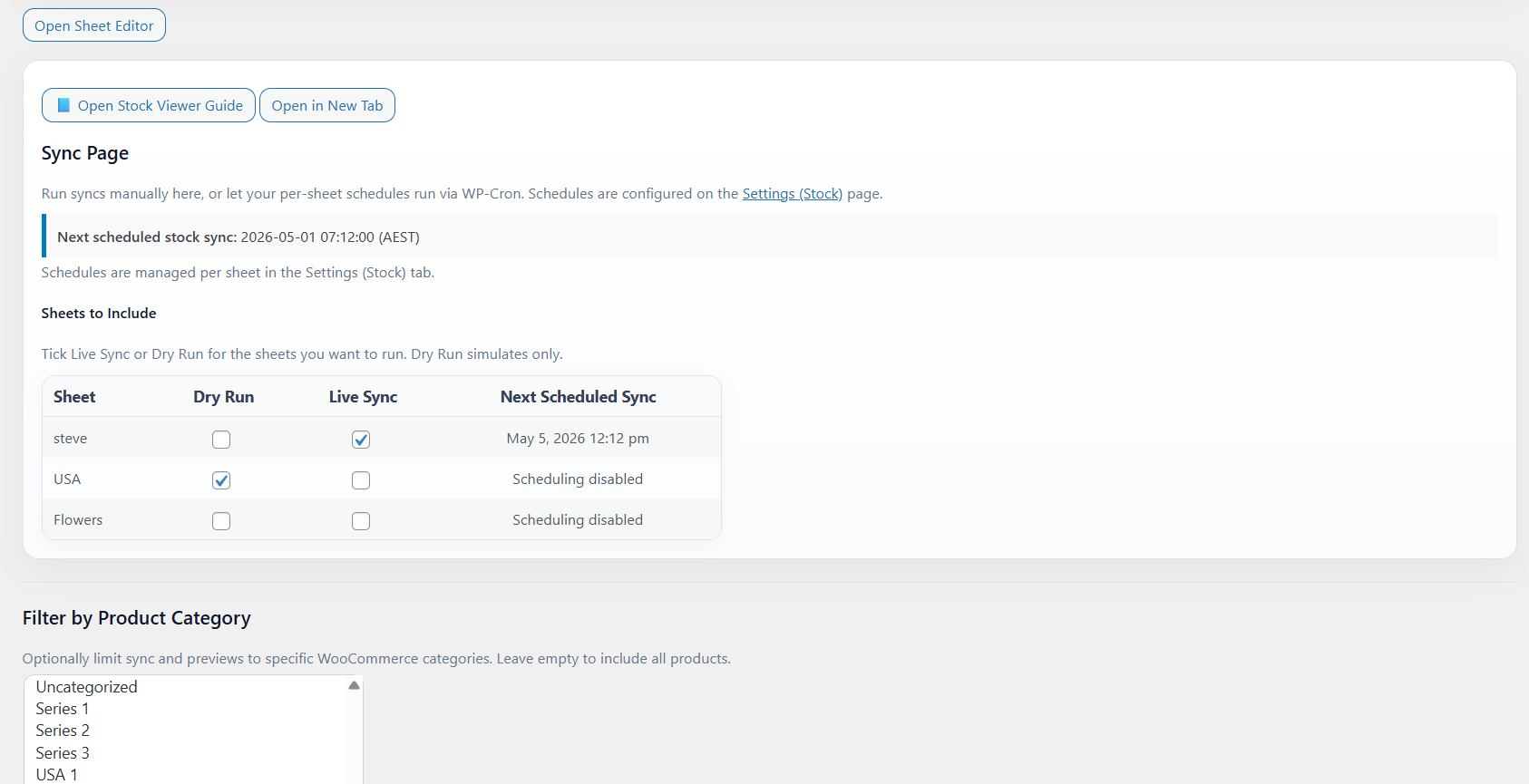
Open the Stock Sync page and inspect sheet rows, category filters, schedules, and sync controls.
Check Dry Run
Use Dry Run first so you understand what would happen before live product stock is changed.
Review Matches
Look at Manual Review, Confirmed Matches, ignored products, and blacklist controls.
Ready to test Stock Sync Sheets?
Open the demo dashboard, inspect the workflow, then use the WooCommerce product page and setup documentation when you are ready to install it on your own store.